Updated: September 20, 2026 Author: Sajjad Farajollahi Primary intent: WordPress rescue / technical due diligence Audience: agencies, product teams, marketing teams, and business owners inheriting a WordPress system they did not build
The short answer#
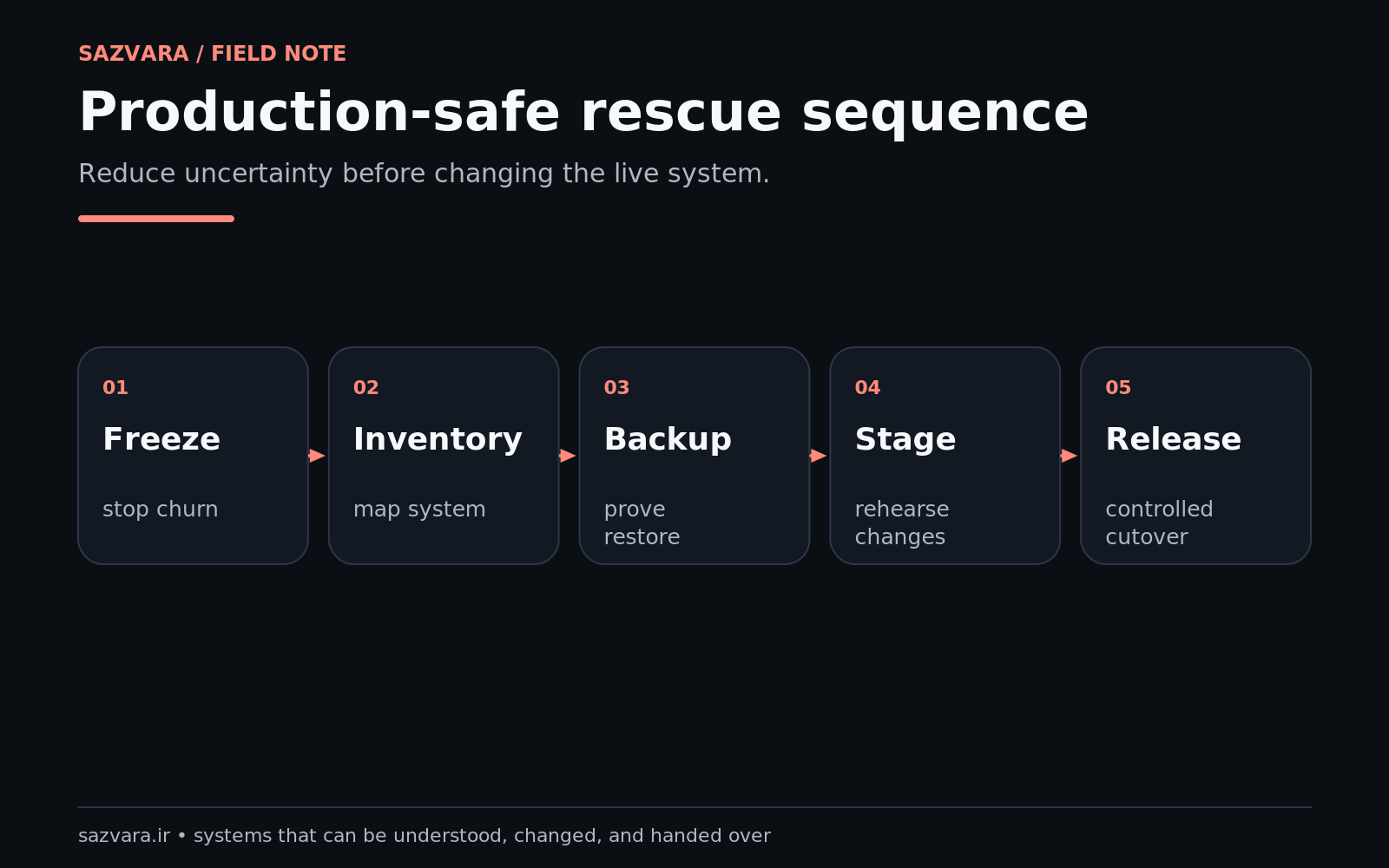
The safest way to rescue an inherited WordPress site is to reduce uncertainty before increasing change. Treat the site as a production system with unknown dependencies, not as a collection of pages that can be edited until the visible symptom disappears. First establish ownership, backup and rollback capability, a map of the runtime and integrations, and a reproducible description of the business failure. Then create the smallest testable repair, validate the business path that matters, release with observable evidence, and leave the next operator with a known state.
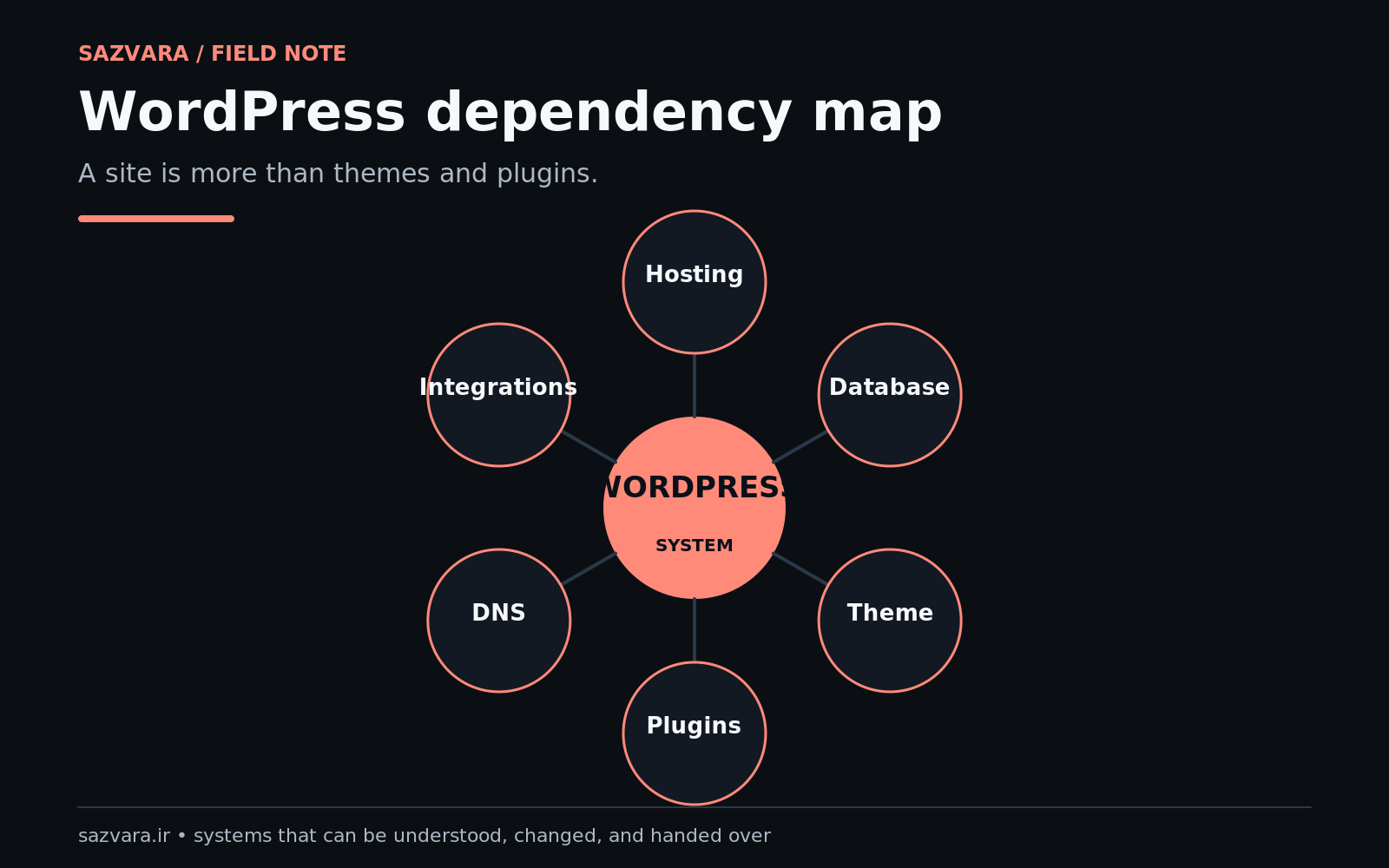
That sequence matters because WordPress sites are rarely just WordPress. A production site may depend on DNS, a CDN, hosting configuration, PHP and database versions, plugins, custom code, cron jobs, SMTP or transactional email, payment gateways, analytics, CRM webhooks, third-party APIs, caching layers and human publishing routines. WordPress itself recommends taking a backup before updates, and its backup guidance makes an important distinction: a complete recovery position normally requires both files and database, not one or the other (WordPress update guidance, WordPress backup handbook).
Sazvara's operating rule for rescue work is simple: contain → observe → reproduce → change → validate → evidence → hand over. That is slower than improvising for the first fifteen minutes and much faster than spending two days recovering from an avoidable second failure.
Why inherited WordPress sites are unusually risky#
An inherited system has two kinds of uncertainty. The first is technical: you do not yet know which components are active, compatible or business-critical. The second is organizational: you may not know who owns credentials, who can approve downtime, what “working” means to the business, or which manual workaround staff already use when the system fails.
This is why a WordPress takeover can look deceptively easy. The visible issue may be “the checkout is broken” or “the form stopped sending email,” but the repair may cross several layers. A checkout failure could originate in a plugin update, a theme override, PHP compatibility, caching, a payment API, a JavaScript error or stale configuration. A form may submit correctly in the browser while failing downstream because the mail route, CRM webhook or spam controls changed.
WordPress' Site Health screen is useful precisely because it exposes configuration information such as active themes, plugins, server details, database details and filesystem permissions. It does not replace investigation, but it is a good starting inventory for a system you did not build (WordPress Site Health).
The correct question is therefore not “what plugin fixes this?” The correct questions are:
- What business path is failing?
- Can we reproduce the failure?
- What changed recently?
- What systems participate in the path?
- What evidence would prove the repair worked?
- What is the rollback or manual recovery route if the repair causes a new problem?
- Who owns the system after the rescue is complete?
If those questions are unanswered, implementation is still diagnosis.
The rescue framework at a glance#
| Phase | Objective | Evidence produced | Release risk if skipped |
|---|---|---|---|
| Contain | Stop avoidable change while preserving service | change freeze, owner list, incident scope | new failures obscure the original problem |
| Capture | Establish a recoverable baseline | file/database backup, versions, config inventory | no trusted rollback position |
| Map | Identify components and external dependencies | dependency map, credential owners, data flows | hidden integrations break later |
| Reproduce | Turn a symptom into a testable failure | steps, logs, failing example, expected result | fixes are based on guesses |
| Isolate | Reduce the possible causes | controlled test surface, conflict matrix | multiple simultaneous changes destroy causality |
| Repair | Make the smallest justified change | patch/config delta, migration record | excessive scope increases incident surface |
| Validate | Test business outcomes and failure paths | acceptance tests, logs, screenshots, downstream records | “green” technical tests hide business failure |
| Release | Deploy with observation and rollback | release note, monitoring signals, rollback steps | production becomes an uncontrolled experiment |
| Handover | Leave a maintainable known state | system map, owners, known limitations, maintenance plan | the next incident starts from zero again |
1. Contain the system before you repair it#
When an inherited site is unstable, the first useful action is often to stop discretionary changes. That does not mean freezing the business. It means avoiding plugin updates, theme edits, cache experiments and configuration changes that are unrelated to the current incident until a baseline exists.
Create a short control note containing:
- business owner and technical owner;
- current incident or objective;
- production URL and hosting provider;
- maintenance window constraints;
- people currently changing the site;
- any scheduled deployment, campaign or promotion that raises the cost of failure;
- the last time the critical path was known to work.
This gives the rescue a boundary. Without that boundary, two people can “fix” the same issue from different directions and erase the evidence needed to understand what happened.
A useful scenario is a marketing team reporting that leads stopped arriving after a site redesign. The wrong first move is to install a new form plugin. The right first move is to verify whether submissions reach WordPress, whether an email event is attempted, whether the CRM webhook fires, and whether the failure correlates with the redesign or with an unrelated mail/provider change.
2. Establish a rollback position that you have actually inspected#
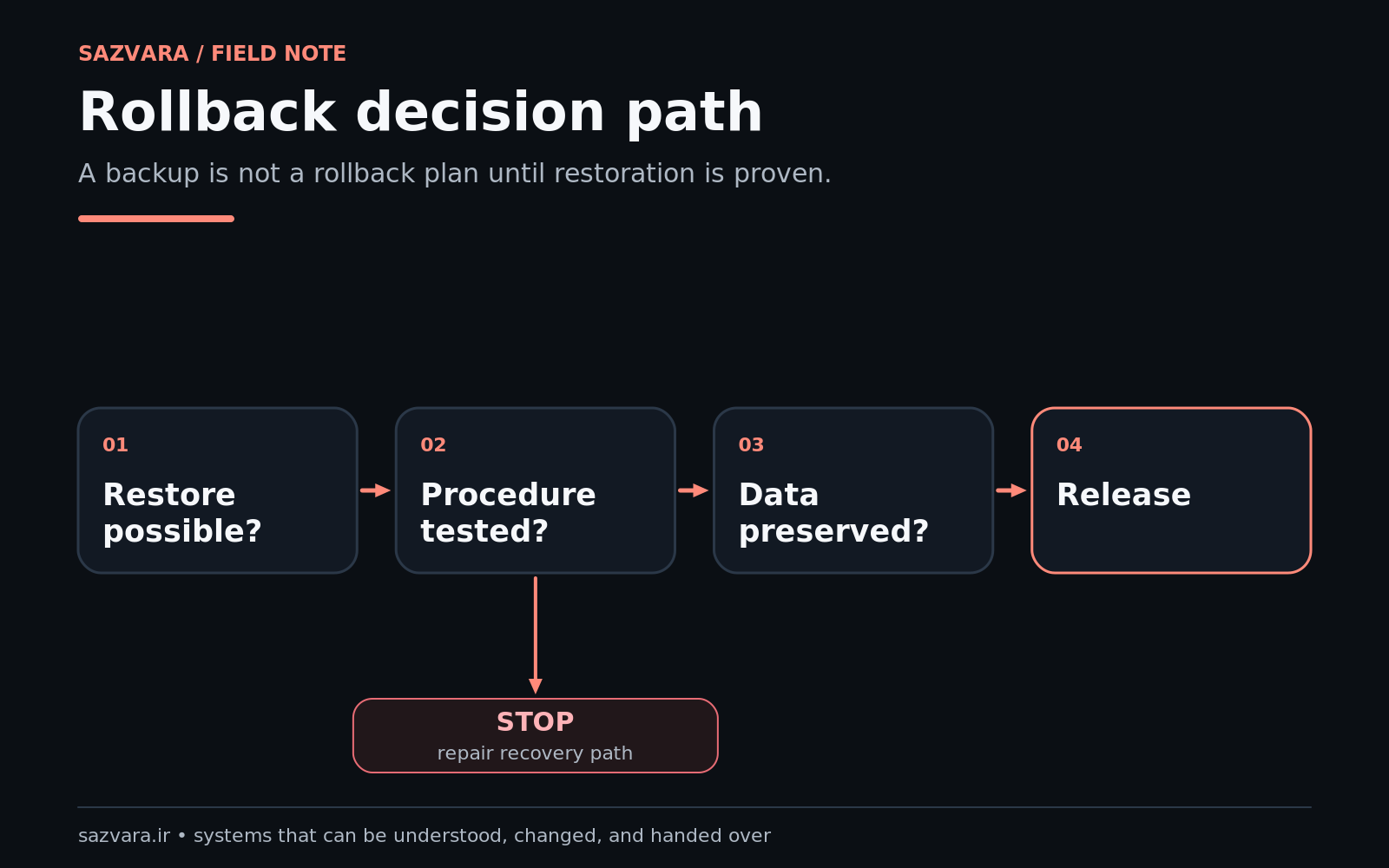
A backup is not the same thing as recoverability. You need to know what is included, when it was captured, where it is stored and how restoration would happen.
WordPress' own documentation separates database backups from file backups and explains that both are normally required for a full site restoration. It also recommends backing up before upgrades (backing up WordPress files, backing up the database).
For rescue work, record at least:
- database backup timestamp and size;
- WordPress files backup timestamp and size;
- whether uploads are included;
- whether
wp-config.php, server rules and custom code are included; - whether backups are stored independently of the production server;
- whether the restore procedure is known;
- whether hosting snapshots exist and what they actually contain.
If the site is revenue-critical, test restoration on a non-production target when practical. A backup archive that has never been opened or restored is evidence of a backup process, not evidence of a recovery process.
NIST's cybersecurity guidance treats recovery as a distinct operational capability rather than an assumption that follows automatically from prevention. That same mental model is useful here: the rescue plan should have a credible path back to a known state, not merely a copy of some files (NIST Cybersecurity Framework).
3. Build a dependency map before touching code#
The WordPress admin screen shows only part of the system. Create a map that separates WordPress-owned components from infrastructure and external services.
WordPress layer#
Capture:
- WordPress core version;
- active and inactive themes;
- active, inactive and must-use plugins;
- custom plugins;
- child-theme overrides;
- custom snippets or code injection tools;
- scheduled WordPress cron events;
- user roles with privileged access;
- custom post types, taxonomies and important metadata;
- REST endpoints or custom AJAX handlers used by the front end.
The WordPress REST API is especially important on modern sites because it may power custom applications, block-editor behavior or integrations. WordPress describes it as a structured interface for applications to create, read and modify site data, subject to authentication and permissions (REST API Handbook).
Infrastructure layer#
Record:
- host and control panel;
- PHP version and relevant extensions;
- database engine/version;
- web server and caching configuration;
- object cache;
- CDN/reverse proxy;
- DNS provider;
- TLS/certificate management;
- server cron jobs;
- deployment mechanism, Git repository or file-transfer process;
- error logs and access-log location.
External-service layer#
List anything that can make the business path fail even while WordPress itself appears healthy:
- transactional email/SMTP;
- payment gateway;
- CRM;
- analytics/tag manager;
- consent manager;
- search service;
- marketing automation;
- maps/location API;
- inventory/ERP;
- identity provider;
- webhook receivers;
- spam or fraud controls.
For each dependency, add an owner, credential location, test method and expected failure behavior. Do not copy secrets into the rescue report. Record where access is managed and who can grant it.
4. Reproduce the business failure, not merely the technical symptom#
A reproducible failure is the turning point between investigation and repair. Write down one real example with enough detail that another operator can observe the same result.
For a form issue, the reproduction might be:
Submit the enquiry form with a valid email address and service selection. The browser shows success. No CRM contact appears within two minutes and no notification reaches the sales inbox. The WordPress form-entry record exists.
That description is much more useful than “form broken” because it tells you where the process is still working and where the state stops propagating.
For a checkout issue, capture the product, browser, account state, payment method, exact error, response code and downstream payment record. For an editor issue, capture the affected user role, post type, editor action and browser console/network errors.
Logs should support the reproduction, not replace it. The objective is to connect a human-visible business failure to a technical event.
5. Create a controlled test surface#
Staging is useful only when it reproduces enough of production to answer the question. A stale staging site with different plugins, PHP versions, data or API credentials can produce false confidence.
Prefer a clone or staging environment when:
- the repair touches schema or large amounts of data;
- plugin/theme compatibility is uncertain;
- the change affects checkout, membership or authentication;
- you need to disable components to isolate a conflict;
- the business cannot tolerate exploratory production changes.
Production-only testing may still be necessary when a failure depends on live payment credentials, DNS, CDN behavior, real traffic or external callbacks. In that case, narrow the test:
- change one variable at a time;
- use a reversible flag or configuration change where possible;
- define observation windows;
- prepare rollback before deployment;
- capture pre- and post-change evidence.
The point is not to obey a ritual called “staging.” The point is to create a test surface where cause and effect are understandable.
6. Isolate conflicts in an order that preserves evidence#
Avoid the classic rescue anti-pattern: update WordPress, update every plugin, change PHP, clear every cache, regenerate assets and edit the theme—all before checking whether the original failure still exists.
A safer sequence is:
- confirm the failure and capture evidence;
- inspect recent changes, logs and version history;
- verify runtime compatibility and Site Health warnings;
- isolate plugin/theme/custom-code conflicts on a controlled surface;
- inspect external integrations and network/API responses;
- change the smallest justified component;
- rerun the same reproduction case.
WordPress notes that plugin updates can cause problems and explicitly advises having a current backup before updating. Its performance documentation also recommends selective plugin investigation rather than assuming every performance problem has the same cause (manage plugins, WordPress performance optimization).
A practical conflict matrix can look like this:
| Test | Result | Interpretation |
|---|---|---|
| failure occurs with current production stack | fail | baseline confirmed |
| failure persists with cache bypassed | fail | cache less likely as primary cause |
| failure disappears when plugin X is disabled on staging | pass | plugin X or its interaction becomes a strong candidate |
| failure returns when plugin X is re-enabled | fail | causal confidence increases |
| external API call fails independently | fail | integration may be primary or contributing cause |
Do not confuse correlation with proof. Repeating the test after a controlled reversal is often the fastest way to increase confidence.
7. Design the repair around acceptance criteria#
Before implementing the final repair, define what must be true for the work to be accepted. A strong acceptance criterion is observable and tied to the business process.
For a lead form:
- valid submission creates one WordPress record;
- one CRM lead is created with the expected fields;
- sales notification arrives within an agreed period;
- duplicate resubmission follows a defined rule;
- invalid input does not create a sales lead;
- CRM timeout is visible and recoverable rather than silently losing the lead.
For checkout:
- successful payment creates one paid order;
- failed payment remains unpaid;
- duplicate gateway callbacks do not create duplicate fulfilment;
- customer confirmation and internal notification are delivered;
- refund/cancellation behavior matches the business rule.
This is where many WordPress “fixes” fail commercially. The developer verifies that a button works; the business needed the entire downstream state to work.
8. Validate normal, invalid and recovery paths#
A production release should not be validated with one happy-path click. At minimum, create a compact test set covering:
- normal valid case;
- invalid or incomplete input;
- duplicate/repeated event;
- external timeout or unavailable dependency where testable;
- authorization/permission boundary;
- recovery or retry procedure;
- the primary revenue/service path end to end.
For performance-sensitive changes, measure before and after rather than relying on perception. Google's web-performance guidance emphasizes field and lab measurements because user experience depends on observable runtime behavior, not just code cleanliness (Google web performance guidance).
For security-sensitive repairs, do not solve the incident by weakening permissions, disabling validation or exposing credentials. WordPress' hardening guidance stresses regular backups, least-privilege thinking and maintaining data integrity as part of a secure installation (Hardening WordPress).
9. Release as a controlled state transition#
A rescue is not complete when the code change is uploaded. The release itself should produce evidence.
A compact release record should include:
- problem statement;
- root cause or best-supported cause;
- files/configuration/data changed;
- plugin/theme/core versions before and after;
- database migration if any;
- acceptance tests executed;
- evidence links or screenshots;
- monitoring signal;
- rollback procedure;
- known limitations;
- owner after release.
The goal is to make the production state explainable. That makes later incidents easier to diagnose and prevents the rescue from becoming another undocumented layer in the inheritance problem.
10. Separate “stabilized” from “modernized”#
An inherited site often contains years of technical debt. Resist the urge to turn a rescue into a full rewrite unless the evidence justifies it.
Use three buckets:
Release blockers#
Problems that prevent the critical path from operating safely or correctly. These belong in the rescue.
Reliability debt#
Issues that materially increase operational risk—abandoned plugins, broken backups, unknown cron jobs, unsupported runtime versions, opaque custom code, missing monitoring. These may belong in a stabilization follow-up.
Improvement backlog#
Performance tuning, UX improvements, refactoring, design cleanup, analytics improvements and feature ideas that are valuable but not necessary to close the incident.
This separation protects both budget and causality. A five-day “rescue” that quietly becomes a redesign is difficult to price, validate and hand over.
The Sazvara rescue decision gate#
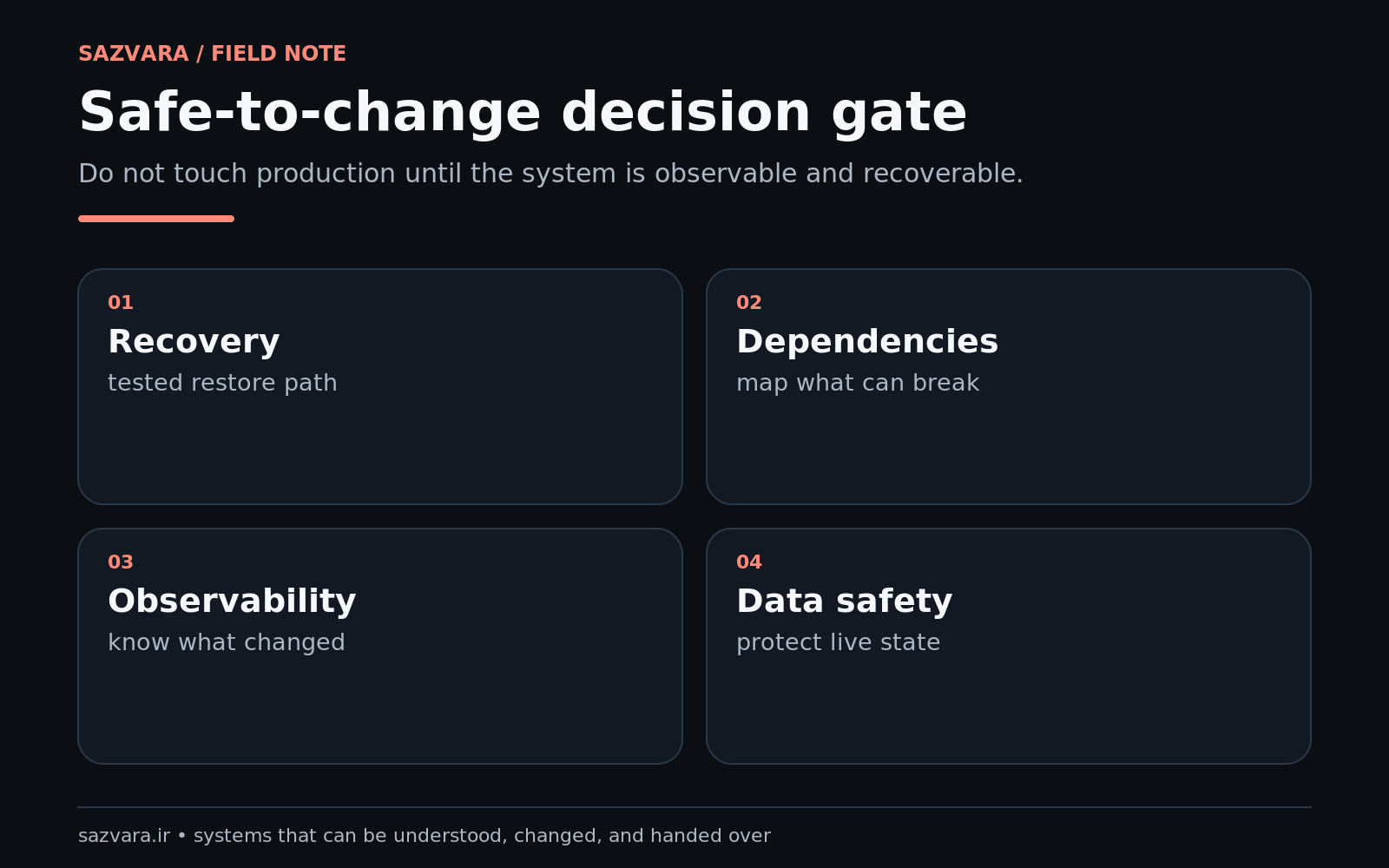
Before approving any production change, score it against five questions:
- Value: does the change directly restore or protect a meaningful business path?
- Evidence: do we have a reproducible failure and a plausible causal explanation?
- Observability: can we see whether the change worked and whether it created a new failure?
- Recoverability: can we reverse the change or complete the process manually if needed?
- Ownership: is someone responsible for the system after release?
A repair that is high-value but low-recoverability may still be necessary, but the release controls should become stricter. A repair with weak evidence should remain an experiment until the uncertainty is reduced.
Worked example: form submissions appear successful but leads disappear#
Consider a professional-services site where the enquiry form shows a success message, but the sales team reports that enquiries have become intermittent.
Containment#
Pause unrelated plugin updates. Record the last known good period and recent changes. Confirm the team is not simultaneously editing the form or CRM integration.
Baseline#
Take database and file backups and record versions. Confirm where form entries are stored and whether a hosting snapshot exists.
Reproduction#
Submit three controlled enquiries using unique test identifiers. Observe browser response, WordPress entry storage, email logs and CRM records.
Isolation#
Suppose WordPress stores all three entries but only one reaches the CRM. The browser and form plugin are therefore not the only investigation surface. Inspect webhook execution, HTTP status, authentication, CRM rate limits and retry behavior.
Repair#
Assume the CRM recently changed an API credential and the integration silently discarded 401 responses. The bounded repair is not “replace the form.” It is to update credential handling, make non-2xx responses observable, and define retry/manual recovery for stored submissions.
Validation#
Run normal, invalid, duplicate and simulated failure cases. Confirm that failed CRM delivery is visible and can be replayed from stored entries.
Handover#
Document the credential owner, webhook endpoint, failure signal, replay procedure and test case. The site is now more maintainable than before the incident instead of merely “working again.”
That is the difference between symptom removal and system rescue.
A takeover checklist you can actually use#
Before changing production#
- [ ] Name business and technical owners.
- [ ] Define the failing business path in one sentence.
- [ ] Capture WordPress, PHP, database, theme and plugin versions.
- [ ] Capture Site Health information.
- [ ] Confirm file and database backups.
- [ ] Identify hosting, DNS, CDN and email providers.
- [ ] List external APIs/webhooks involved in the failing path.
- [ ] Record recent changes and the last known good state.
Before approving the repair#
- [ ] Reproduce the failure with a real test case.
- [ ] Identify the most likely causal layer.
- [ ] Define acceptance criteria.
- [ ] Define rollback/manual recovery.
- [ ] Change the smallest reasonable surface.
- [ ] Test permissions and invalid input.
- [ ] Test duplicate/retry behavior where relevant.
Before handing the site back#
- [ ] Run the primary revenue/service path end to end.
- [ ] Record what changed.
- [ ] Record evidence of successful tests.
- [ ] Record known limitations and deferred debt.
- [ ] Confirm monitoring/error visibility.
- [ ] Confirm credential ownership without copying secrets into documents.
- [ ] Confirm the next maintenance owner and cadence.
When a rescue should become a rebuild#
Not every inherited system should be preserved indefinitely. A rebuild becomes easier to justify when the evidence shows several of these conditions together:
- the critical behavior depends on abandoned or unmaintainable code;
- the runtime cannot be upgraded without cascading breakage;
- the system has no practical rollback or testing surface;
- security boundaries are structurally unsound;
- business rules are duplicated across plugins and custom code with no clear source of truth;
- maintenance cost repeatedly exceeds the value of incremental fixes;
- essential integrations cannot be made observable or recoverable;
- the current architecture blocks a business requirement that cannot be added safely.
Even then, the rescue work is not wasted. The dependency map, acceptance criteria and evidence gathered during stabilization become the migration specification for the rebuild.
What a good rescue leaves behind#
A strong WordPress rescue produces more than a repaired site. It leaves:
- a current dependency map;
- a known backup and recovery position;
- clearer ownership;
- reproducible acceptance tests;
- documented external integrations;
- observable failure signals;
- a release record;
- a prioritized debt list;
- a handover that another competent operator can understand.
That is why Sazvara treats rescue work as systems work rather than emergency theme editing. The objective is not simply to make today's symptom disappear. It is to move an inherited system from unknown and fragile to known, testable and owned.
If you have an inherited WordPress site that is stuck, unreliable or difficult to ship, see Sazvara's services and work, or request a system diagnostic. A bounded diagnostic should identify the failing business path, map the dependencies, define the recovery position and produce a fixed-scope recommendation before a larger implementation begins.
Sources and further reading#
- Updating WordPress — WordPress.org
- WordPress backups — Developer.WordPress.org
- Backing up WordPress files — Developer.WordPress.org
- Backing up the WordPress database — Developer.WordPress.org
- Site Health screen — WordPress.org
- Manage plugins — WordPress.org
- Hardening WordPress — Developer.WordPress.org
- WordPress performance optimization — Developer.WordPress.org
- WordPress REST API Handbook — Developer.WordPress.org
- NIST Cybersecurity Framework — NIST
- Learn web performance — web.dev
- Google guidance for generative AI features in Search
Editorial note#
This article was produced with AI-assisted research and drafting, then subjected to a separate evidence, duplication, structure, SEO/GEO and editorial review before release approval. Recommendations are operational guidance, not a claim that every WordPress incident has the same cause. No client result, performance improvement or commercial outcome is implied without supporting evidence.
Have a system that is stuck, manual or difficult to ship?
Sazvara diagnoses the system before prescribing the technology. Bring the constraints, failure modes and current state.