Updated: September 20, 2026 Author: Sajjad Farajollahi Primary intent: automation-platform selection Audience: agencies, small-business operators and technical teams choosing a production workflow platform
The short answer#
Choose n8n, Zapier or Make based less on which builder looks easiest in a demo and more on who must own infrastructure, credentials, recovery, execution history and change after the workflow becomes business-critical.
- Zapier is often attractive when a team wants a managed platform, broad app connectivity and a lower infrastructure burden. Its current workflow tooling includes run history, manual replay, Autoreplay and custom error handling, but plan and feature boundaries affect how recovery works (Zapier troubleshooting).
- Make is strong when teams want a visual scenario model with explicit error routes, incomplete executions, ordering controls and detailed scenario behavior. Its settings expose consequential choices around sequential processing, retained run data, incomplete executions and commit behavior (Make scenario settings).
- n8n is attractive when teams want more implementation flexibility and the option to self-host. That flexibility also transfers more operational responsibility to the owner when self-hosting: instance security, upgrades, database/storage, monitoring and recovery become part of the system (n8n documentation).
The right decision therefore depends on the cost of failure and the team's willingness to operate the platform, not on a universal ranking. A two-step marketing notification and a revenue-critical order workflow should not be selected by the same criteria.
The comparison problem: feature lists hide operating responsibility#
Most platform comparisons begin with connector counts, pricing tiers, visual design and whether code is allowed. Those are useful buying details, but they become secondary once a workflow is important enough that somebody must answer questions such as:
- Where are credentials stored?
- How much execution history is available?
- Can a failed run be replayed safely?
- What happens after a partial side effect?
- Can the workflow process events in strict order?
- Who patches the automation runtime?
- Can operations be stopped during an incident?
- How are changes promoted from development to production?
- What is retained in logs?
- What must be documented for another operator to take over?
A platform does not remove those questions. It decides which party answers them.
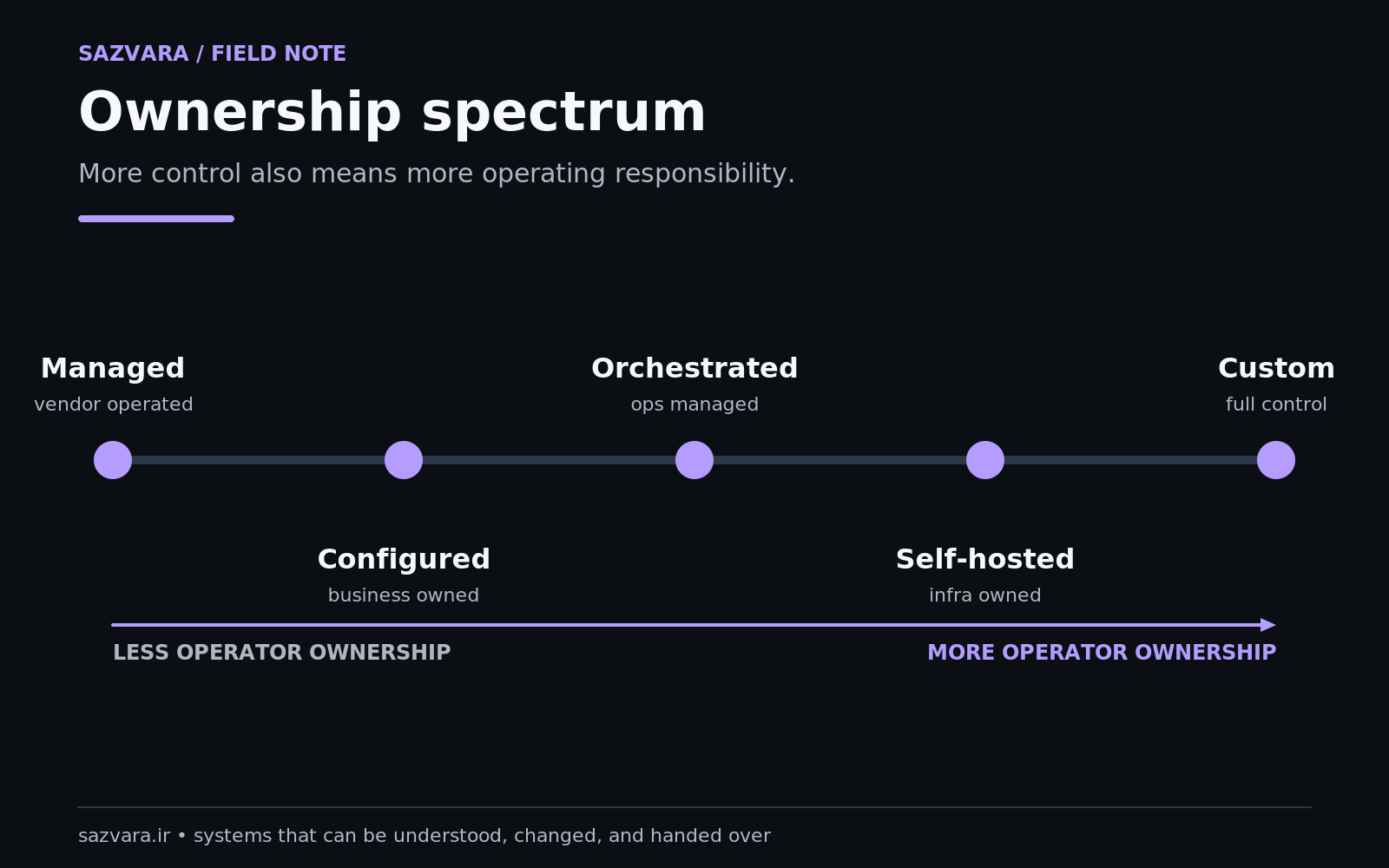
This is why “no-code vs low-code” is an incomplete framing. The operational distinction is often managed responsibility vs configurable responsibility vs self-hosted responsibility.
A neutral comparison at a glance#
| Decision area | Zapier | Make | n8n |
|---|---|---|---|
| Hosting responsibility | managed by provider | managed by provider | cloud or self-hosted options |
| Visual workflow model | step/path oriented | scenario/router oriented | node/workflow oriented |
| Failed-run recovery | history, replay, Autoreplay, error handlers | incomplete executions, retries, error handlers | execution history, retry, error workflows/configuration |
| Ordering controls | workflow-specific mechanisms | explicit “process data in order” setting for scenarios/webhooks | depends on workflow and deployment architecture |
| Execution-data retention | provider policy/plan controls | scenario/log settings and plan constraints | configurable in self-hosted deployments; owner operates storage |
| Infrastructure maintenance | low customer burden | low customer burden | potentially high when self-hosted |
| Credential boundary | provider-managed app connections | provider-managed connections | provider-managed on cloud; instance owner responsible when self-hosted |
| Best fit question | “Do we want managed simplicity?” | “Do we want visual control over scenario behavior?” | “Do we want flexibility/control enough to own more operations?” |
This table is intentionally not a winner chart. Each advantage moves a responsibility somewhere else.
1. Hosting ownership: the first fork in the decision tree#
If the business does not want to operate automation infrastructure, managed Zapier or Make removes a major category of work. The provider runs the platform; the customer focuses on workflow configuration, access, monitoring and business behavior.
n8n offers cloud hosting and self-hosting. Its documentation explicitly presents Docker/npm/self-hosting alongside cloud and describes self-hosting as an option for privacy and security control (n8n Docs). Self-hosting can be valuable when the organization needs network locality, deployment control, custom infrastructure or a different data/operations boundary.
But “self-hosted” is not the same as “free operations.” Someone must own:
- operating-system/container updates;
- n8n upgrades;
- database backup and recovery;
- TLS and network exposure;
- storage capacity;
- observability;
- secret handling;
- disaster recovery;
- compatibility when components change.
n8n's own documentation includes separate material for scaling, queue mode, external storage, source control, logging, monitoring and security auditing. That breadth is evidence of flexibility, but also of the operating surface (n8n security audit, n8n source-control environments).
The decision is therefore not “cloud bad, self-hosted good.” It is whether the control gained is worth the operational responsibility accepted.
2. Failure semantics matter more than editor aesthetics#
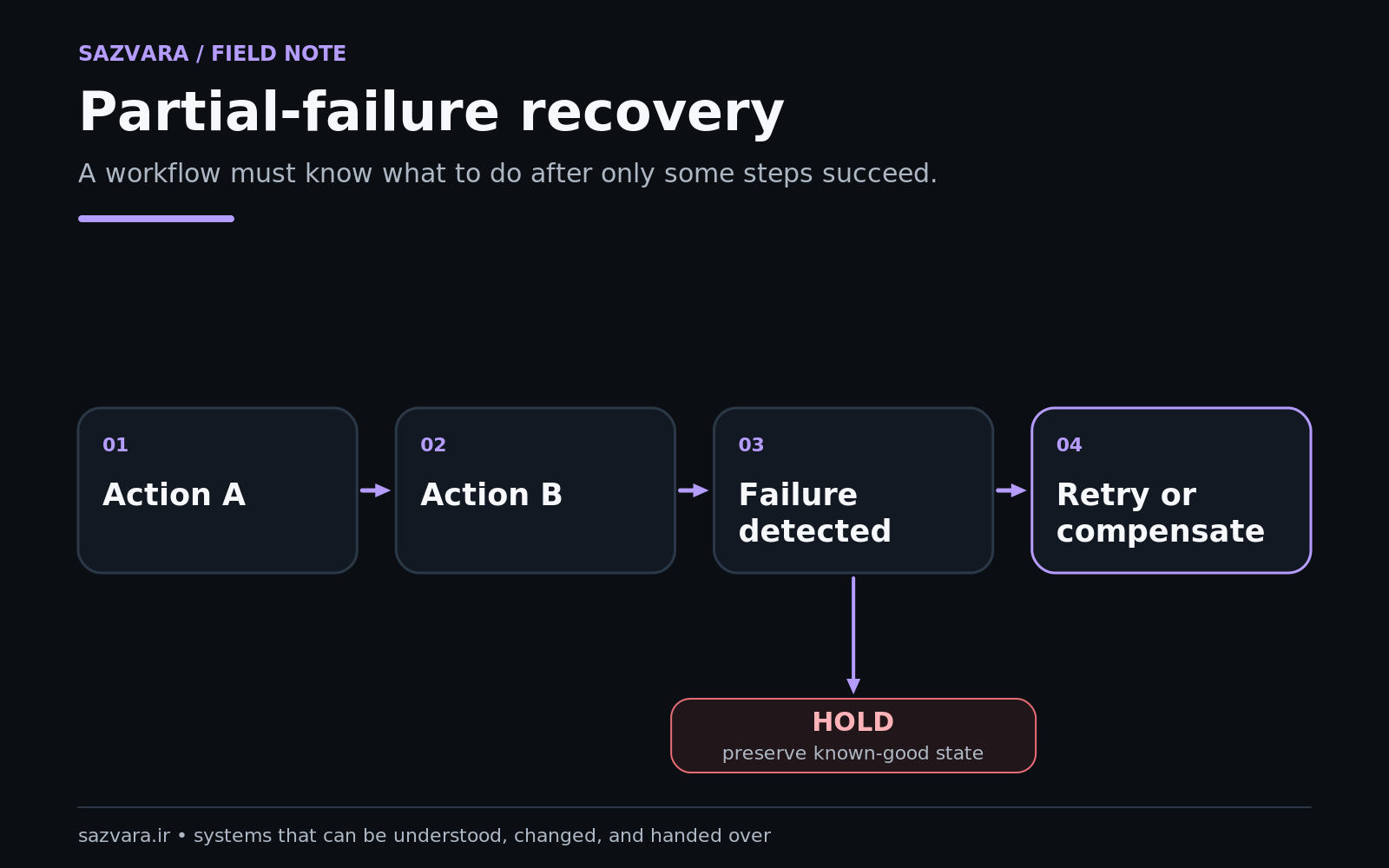
A workflow that fails before doing anything is easy. Partial failure is harder.
Imagine:
- create invoice;
- send customer email;
- update CRM;
- notify finance.
If step 3 fails, replaying the entire workflow could create a duplicate invoice or resend the customer email. A production design needs to understand what the platform replays and which actions are safe to repeat.
Zapier#
Zapier distinguishes run statuses such as errored, safely halted, on hold, handled error and scheduled. Its documentation says failed steps can be replayed and Autoreplay can retry temporary failures, while custom error handling can run an alternative path (Zapier troubleshooting).
Zapier's replay documentation also lists important limitations. Replays do not simply mean “run everything again”; behavior depends on the failed step, workflow changes, plan and status. Filters and Paths are not replayed as ordinary failed actions in the same way, and significant edits can prevent replay of prior runs (Zapier replay).
That is operationally useful information: if safe recovery depends on replay, test replay during acceptance—not during the first incident.
Make#
Make's error model exposes several explicit handler behaviors, including skip, retry, resume, commit and rollback. It can also store incomplete executions so failed work can be retried or manually resolved (Make error handling overview, Make incomplete executions).
Scenario settings affect the semantics further. Make documents controls for processing data in order, keeping run data confidential, storing incomplete executions, committing after each module and handling repeated errors (Make scenario settings).
Those controls are powerful because they make failure policy visible. They also mean the operator must understand what each policy implies for the business data being changed.
n8n#
n8n maintains execution history and supports retrying failed executions with either the currently saved workflow or the original workflow, which is useful for debugging and controlled recovery (n8n executions).
With self-hosted n8n, the design can extend beyond application settings into the deployment architecture. That allows more custom control, but it also means the team can create a system whose recovery depends on its own database, queue, workers and storage choices.
3. The real question is idempotency, not “does it retry?”#
Retries are only safe when repeated actions do not create unintended duplicates or side effects.
An idempotent operation produces the same intended state when repeated with the same request identity. Not every third-party action behaves that way automatically.
For each critical step, ask:
- Does the external API support an idempotency key?
- Can we search before creating?
- Is there a stable business identifier?
- Could retry send duplicate email, SMS or payment?
- Can the workflow record that a side effect already occurred?
- Does the platform retry only the failed step or a larger path?
The platform can provide retry machinery; the workflow designer still owns the correctness of replay.
4. Execution history and retention determine how well you can investigate#
Troubleshooting depends on evidence. The useful question is not merely “does the platform have logs?” but what data remains available, for how long, at what plan, and with what privacy implications?
Zapier currently documents Zap history retention of 29–69 days generally, with Enterprise controls that can customise history retention to 7–30 days (Zapier data retention). Its run history exposes statuses and run details used for troubleshooting (Zapier history).
Make documents a “keep data confidential” setting that prevents processed payload data from being retained in execution logs, while noting that this reduces troubleshooting options. Its incomplete-execution storage also has plan-dependent capacity considerations (Make scenario settings).
With self-hosted n8n, execution-data policy is part of the instance configuration and storage operation. This can give a team more control over retention, but control is meaningful only if the team actually configures pruning, backup, access and capacity correctly. n8n's documentation includes external execution/binary-data storage and lifecycle guidance for scaled deployments (n8n external storage).
For sensitive workflows, shorter or payload-free logs can reduce exposure. For incident-heavy workflows, aggressive deletion can make diagnosis impossible. Retention is an operational tradeoff, not an abstract privacy slider.
5. Credential ownership should influence platform choice#
Every useful automation holds authority to act in another system. That may include reading CRM records, sending email, editing files, creating invoices or accessing databases.
Zapier now documents both app connections and API-oriented options. App connections encapsulate authorised access, while API by Zapier can keep OAuth2/API-key credentials in an app connection rather than placing them directly in a workflow step (Zapier API requests, Zapier app connections).
Make uses provider-managed connections in its scenarios. n8n provides credential management inside the instance, but a self-hosted owner must secure the instance and its encryption/secret environment as part of operations.
Regardless of platform, OWASP's guidance is useful: centralise secrets, apply least privilege, plan rotation and revocation, log access appropriately and avoid hardcoding secrets into source/configuration where possible (OWASP Secrets Management).
A platform choice that forces every workflow to use one employee's personal administrator account creates an ownership problem even if the workflow is technically excellent.
6. Concurrency and ordering can change business correctness#
A common hidden assumption is that events arrive one at a time. Webhooks often do not.
Make explicitly documents that instant-trigger/webhook scenarios can process in parallel by default and offers “process data in order” when sequential behavior is required (Make scenario settings).
This matters for workflows such as:
- inventory adjustments;
- account balance changes;
- sequential approvals;
- order-state transitions;
- ticket status updates;
- CRM events where later state depends on earlier state.
If event B completes before event A, the final business state may be wrong even though both executions succeeded.
Zapier and n8n have their own execution models and controls, but the platform-level feature does not remove the need to identify whether ordering is a business requirement. The workflow design should state it explicitly.
7. Change management separates prototypes from maintained systems#
A workflow that works today is only half the lifecycle. Apps change fields, APIs change behavior, credentials rotate and business rules evolve.
Evaluate:
- version/history support;
- ability to duplicate or test safely;
- environment separation;
- rollback of workflow changes;
- documentation/export options;
- who may publish changes;
- how credentials differ between development and production.
n8n documents source-control/environment functionality for certain paid tiers and describes protected production instances and Git-connected development/production patterns (n8n source-control environments).
For smaller teams on any platform, even a manual release note improves control: date, workflow version, change, owner, test evidence and rollback instruction.
8. Maintenance burden changes with the ownership model#
Managed platforms reduce infrastructure maintenance but not workflow maintenance. Self-hosting increases the set of things the team can control and the set of things it must maintain.
A useful ownership inventory is:
| Responsibility | Managed SaaS | Self-hosted n8n example |
|---|---|---|
| workflow logic | customer | customer |
| app credentials/access | shared responsibility | customer + instance configuration |
| platform runtime patching | provider | customer |
| database/storage operation | provider | customer |
| server/TLS/network | provider | customer |
| business monitoring | customer | customer |
| workflow recovery policy | customer using platform features | customer using platform + infrastructure controls |
| application/API changes | customer must adapt workflows | customer must adapt workflows |
The row that people underestimate is business monitoring. A managed platform can keep the automation service online while your workflow quietly produces the wrong business state.
A decision framework based on failure cost#
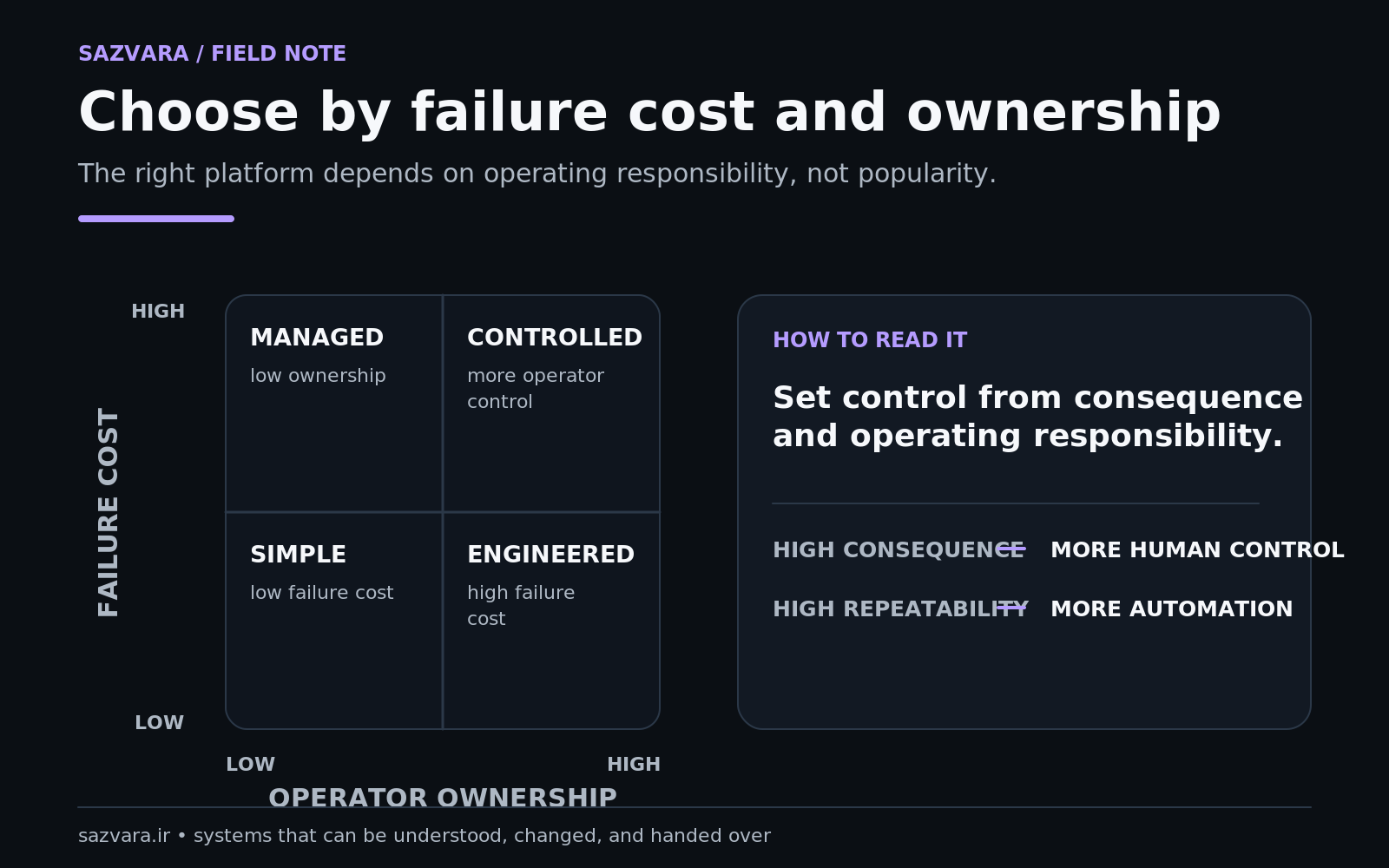
Choose the platform only after classifying the workflow.
Low failure cost, low complexity#
Examples: internal notification, copying a non-critical marketing record, scheduled digest.
Prioritise speed, operator familiarity and low maintenance. A managed platform may be the rational choice even if another tool is more flexible.
Medium failure cost, recurring operational workflow#
Examples: lead routing, onboarding, support triage, document processing.
Prioritise execution history, exception handling, ownership, replay behavior, monitoring and easy handover. All three platforms can serve this class; implementation quality dominates brand choice.
High failure cost or strong infrastructure constraints#
Examples: payment-adjacent flows, regulated data paths, core order processing, internal systems requiring private network access.
Prioritise explicit controls, data boundaries, recovery design, least privilege, testing, observability and operational ownership. Self-hosting may become relevant, but only if the team can actually operate it.
NIST's general risk-management framing is useful here because it focuses on context, measurement and management rather than assuming the same control level suits every use case (NIST AI RMF Core).
Worked example: agency lead routing#
An agency receives 100–200 enquiries a month. The workflow validates form data, identifies service category, creates a CRM opportunity, assigns an owner and notifies the team.
The agency has no infrastructure specialist. Failure is commercially important but reversible if detected within an hour.
A sensible selection process would weight:
- managed uptime and low platform maintenance;
- reliable history and alerting;
- safe duplicate prevention;
- clear connection ownership;
- easy handover to another operator;
- enough routing logic for the agency's categories.
This case may favour a managed service unless another requirement outweighs the infrastructure burden. The exact choice should follow a prototype using the agency's actual CRM and exception cases.
Worked example: private-network operational workflow#
A second company needs to connect internal systems not exposed publicly, operate under its own network controls and retain detailed execution data under a custom policy. It already runs containers, databases, backup and monitoring.
Now n8n self-hosting may become much more attractive because the organization has an operating environment capable of absorbing the responsibility. The same self-hosted design would be a poor fit for a two-person consultancy with nobody responsible for patching or recovery.
The feature is identical. The organisational fit is different.
Pricing should come after architecture fit#
Pricing changes and depends on usage patterns, plan definitions and features, so a durable comparison should not pretend one headline number answers the question.
Estimate cost using a representative workload:
- executions or operations/tasks per month;
- number of active workflows;
- premium connectors/features needed;
- data retention requirements;
- team/admin requirements;
- self-hosted compute, storage and backup cost where applicable;
- operator hours per month.
Then compare total operating cost, not subscription price alone.
A $20 difference in software price is irrelevant if one choice requires several hours of monthly maintenance or creates a failure mode that costs a day of recovery.
The Sazvara platform-selection checklist#
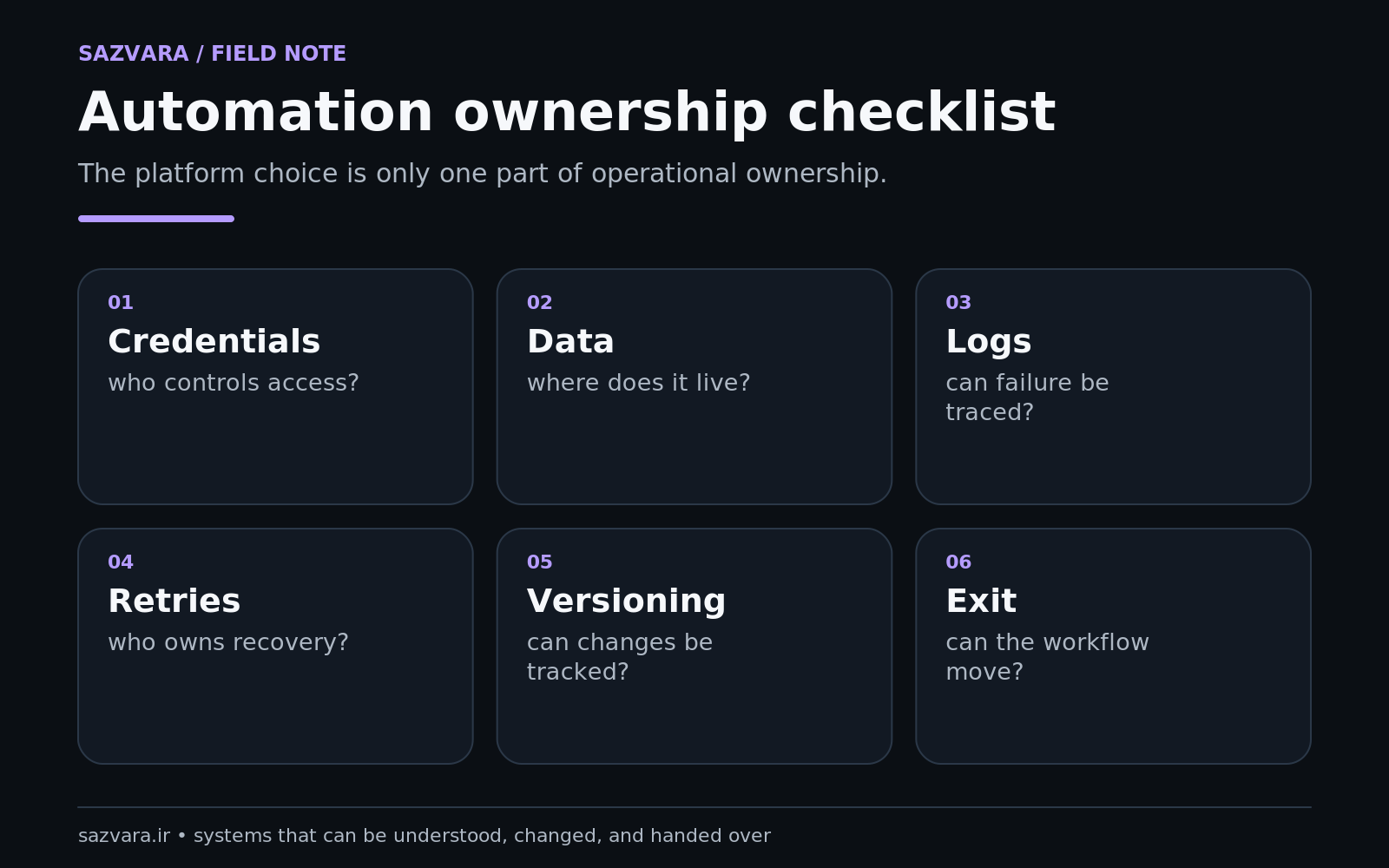
Before choosing, answer:
- Which business outcomes does the workflow protect?
- What is the maximum tolerable time to detect and recover a failure?
- Which actions are unsafe to repeat?
- Must events be processed in order?
- How long must execution evidence remain available?
- What sensitive data appears in the workflow or logs?
- Who owns credentials and rotation?
- Does the company want to operate infrastructure?
- How will workflow changes be tested and approved?
- Can another operator take over from the documentation alone?
If those answers are clear, the platform decision becomes much easier.
The practical conclusion#
There is no universal “best automation platform.” There is a best responsibility fit for a particular workflow and team.
Zapier can reduce operating burden and make managed integration accessible. Make exposes a rich visual scenario model and explicit controls around error handling and execution behavior. n8n can offer substantial flexibility and self-hosting control, with correspondingly greater responsibility when you choose to operate it yourself.
The wrong platform is the one whose failure and ownership model your team does not understand.
If you already have workflows spread across several tools, Sazvara can audit the process and control model before proposing a migration. See Sazvara services, relevant engineering work in Sazvara work, or use the diagnostic intake for one bounded automation problem.
Sources and further reading#
- n8n documentation
- n8n execution history and retry
- n8n security audit
- n8n source-control environments
- n8n external storage
- Zapier workflow troubleshooting
- Zapier replay behavior
- Zapier data retention
- Zapier API request options
- Make scenario settings
- Make incomplete executions
- Make error handling overview
- OWASP Secrets Management Cheat Sheet
- NIST AI RMF Core
- Docker secrets documentation
Editorial note#
This comparison was produced with an AI-assisted research workflow and reviewed as a human-authored Sazvara publication. Platform behavior was checked against official n8n, Zapier and Make documentation current on September 20, 2026. It deliberately avoids a winner ranking, affiliate-style claims and invented cost savings. Feature availability can vary by plan and can change; buyers should confirm the current vendor documentation for the exact plan they intend to use.
Have a system that is stuck, manual or difficult to ship?
Sazvara diagnoses the system before prescribing the technology. Bring the constraints, failure modes and current state.